Science Says
Why AI Works for Everyone But You (And How to Fix It)

It seems like everybody online is automating their entire business with AI. But the one time you tried to hand it something real, it handed back even MORE work… plus a new tool to learn (the AI itself). If that’s you, you’ve got a lot of company. Myself included, at one point.
And I think I know why. In a big study of management consultants, the same AI made people better at a whole set of tasks and WORSE at another one. And I’d say most of our tasks are a mix of both kinds.
By the end of this post, you’ll have the AI Fit Formula: three steps you can run on a piece of your work today. And the first two don’t even touch AI. There’s also a free tool for it, the AI Fit Check: a copy-and-paste prompt for any AI chat plus a fillable notes PDF. So if you want to jump straight to the doing, go for it. I get it. 😊
If we haven’t met, hi, I’m Jenae, and this is Productivity Stacks, where you work WITH your brain and AI works FOR it. I’ve tried handing AI a lot of pieces of my business, and a lot of them came back just plain wrong. Sometimes I got a huge headache I had to clean up, and then I still had to do the original task. This formula is how I sort keepers from flops without creating huge wastes of time, and it’s how I help my Doers community do the exact same thing.
One of my keepers: the newsletter chore
Let me walk you through one of my keepers. My newsletter is a major area where I get to nerd out. I’m in a doc, totally in my happy place: creative mode, learning mode and teaching mode, all wrapped into one. It’s really the best.
But once I’m done, then comes the chore that yanks me right out of that happy place: pasting the whole thing into beehiiv, my newsletter tool, by hand. Linking each article, formatting it… I mean, just UGH.
So that was my chore to offload. Now AI does that step for me, and I get to stay in the doc the whole time. When it’s done, it feels like waving a magic wand, and the newsletter is just sitting in beehiiv, ready to roll.
The chore disappeared, and I got to stay in the fun part. And the fix had nothing to do with a better prompt or coding some really fancy thing. I’ll show you what it was in step three, because that moment is what I want for you, and this formula is how you find yours:
- Break it down.
- Wave the wand.
- Try just one piece.
One piece, one try, this week.
Step 1: Break it down
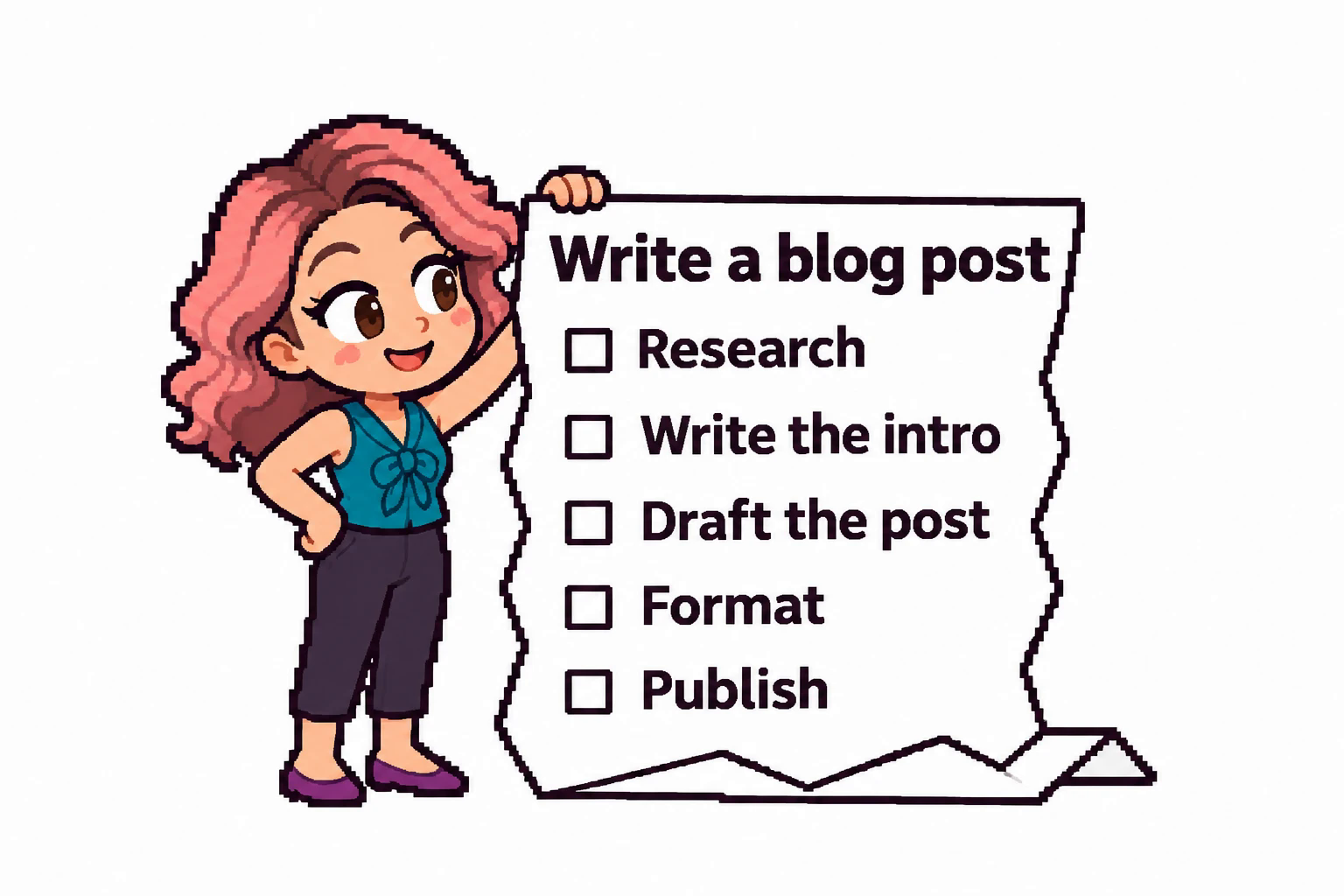
Here’s the thing about a task like that newsletter, or let’s take something like writing a blog post. It looks like one task… but it’s really a bundle. The title, the intro, that one sentence you rewrite nine times, the research, the formatting, and then the posting. (Here’s my full list of 87 pieces that go into writing a blog post.)
In my experience, if you hand AI the whole bundle, you get the headache I mentioned, plus, well, slop. So it’s no wonder that, faced with fixing all that slop, it doesn’t feel like AI helped much at all. Sometimes it made things worse. Hand it ONE piece though, and it has a real shot at helping you.
And AI makes it practical to knock off the pieces that drain you or bring you zero joy, without building a whole entire system first. You get to keep the parts you like.
So today, take one task from this week and list its pieces. Try to stick to five or six, max. I know each of those could be split up even further, but please don’t go down some rabbit hole. That’s step one, just a list. Don’t hand anything to AI yet, because step two is the really fun part.
Step 2: Wave the wand
Go down your list, and for each piece, imagine it just magically got solved. Done right, and not by you. What would that give you back?
Time, sure. But for me, it’s also bandwidth: the dread beforehand, the push to start, and finding your place again after. The newsletter paste honestly didn’t take me THAT much time, but I hated it.
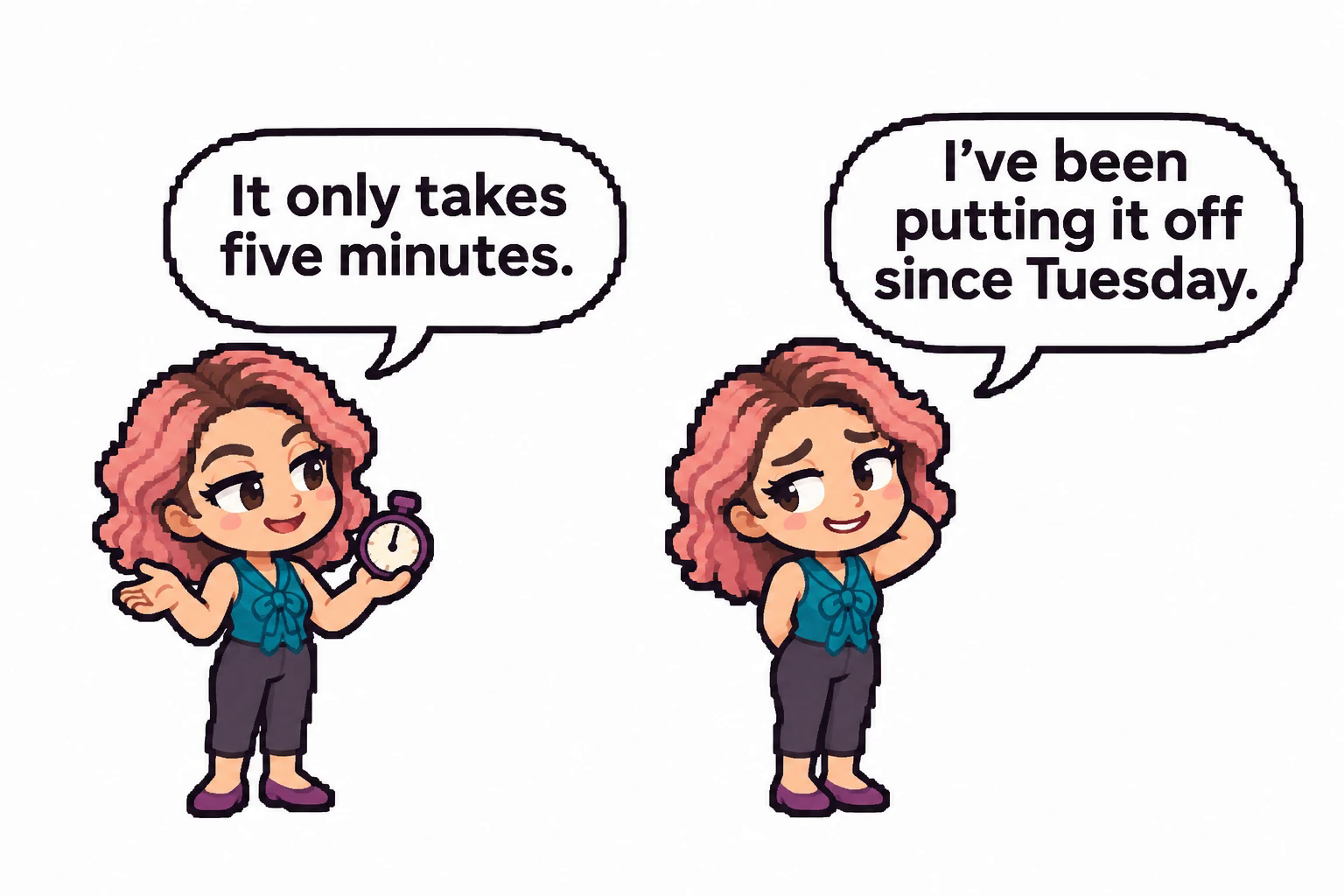
Plus, even if your piece isn’t something you hate, think about checking your phone mid-thought or mid-sentence. Checking it might only take a few seconds. In a lab study, even a few seconds away made people more likely to pick up at the wrong step when they came back.
I’d say every little chore inside a task can do the same thing. You step out of genius zone A, into drain zone B, and back again.
So this goes beyond the pieces you hate. One of our Doers community members didn’t really mind invoicing at all. Easy, low-brainpower work. She even said she gets to feel accomplished without putting forth much effort. So that’s a keep, right? Well, I asked her, “Okay, but what if that time went to a walk instead, or to something you really love that gives you energy?” And I saw the aha in her eyes.
To me, a piece you don’t mind still costs a context switch, or the hour you could have spent on that walk.
A little reality check
Before you wave the wand at everything: AI is never free, and I’m not even talking about money. Checking its work never fully goes away, and setup and learning cost you time up front. So ask how often the piece comes up. If it’s every day, an hour of setup can pay back pretty fast. If it’s twice a year at five minutes each time, maybe not so much.
But if it’s a piece you dread, or one that even just drains you a little bit, I’d still argue it might be worth it. Just know that in that case, what you’re mostly buying back is bandwidth.
Next to each piece, jot down what you’d get back. Write it down FIRST, so later you’re checking your notes instead of your memory. Because, as we know, hindsight is not always 20/20… it can definitely be biased.
Okay, NOW you get to hand something to AI.
Step 3: Try just one piece
Circle the piece with the biggest give-back. Or, if you’re brand new to AI, go easy on yourself: pick a piece where you know exactly what good looks like and you can check it quickly.
Here’s one of mine that almost everybody has: replying to email. What you want to say is the human part, so that stays yours. Writing it out can be the chore. Even logging in and opening your inbox can do it, and now you’re distracted by everything in there.
Handing it off comes in three levels. Start where you are, and you only need to take action on the first level today.
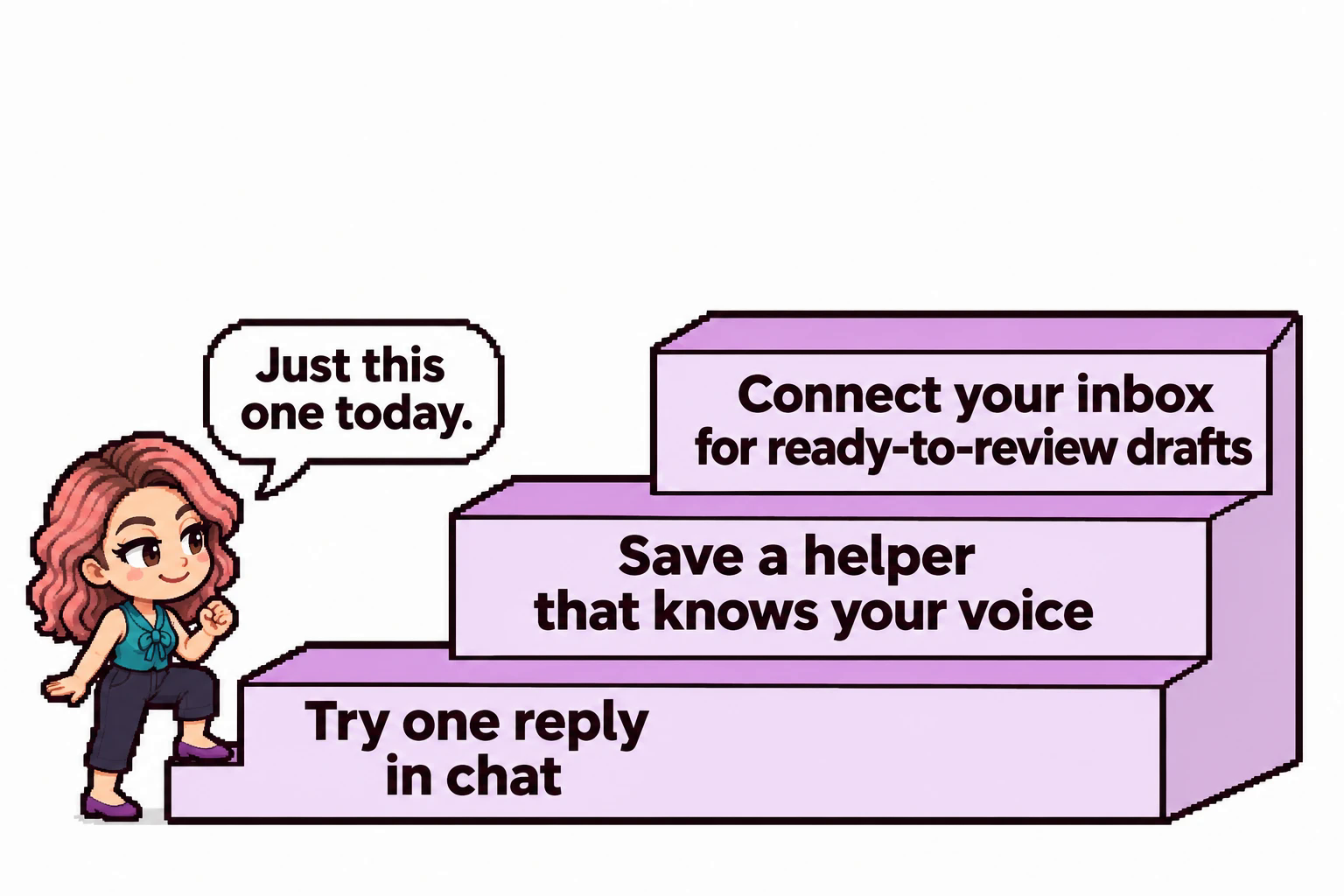
Level 1: Plain chat
Nothing to set up. Paste in the email (minus anything private) and your rough answer, plus one reply you were happy with, and say:
Here’s the email and my rough answer. Here’s a reply I liked. Please write this new one the same way.
A LOT of my early AI tasks went off the rails because I described the process and never showed it the finished product. Show it what good and done looks like, and it has a much better shot at getting from A to B the way you want.
When it comes back, do one quick gut check. Did that feel lighter? Did it give you back what you wrote down in step two? If so, you’ve got a keeper.
And if it felt a little clunky, well, welcome to day one. You didn’t know your email tool, your phone, or your own job on day one either, and now you do all three without thinking. Early on, I took a lot of rounds to get a piece right.
Diagnose first, prescribe second
Before you give up on a piece, diagnose first and prescribe second. In my experience, it usually needed one of two things.
One is a clearer picture. AI is not a mind reader, so if a person couldn’t follow your steps without asking you questions, the AI can’t either. So write them down.
The other is access. Remember my newsletter chore, where I said the fix had nothing to do with a better prompt? This was it. A plain chat window could help me polish a newsletter all day, but it can’t get it into beehiiv with the right articles linked. Once I installed the connector, that piece was just done, and I didn’t have to learn anything new.
So make one adjustment and try again. Then ask yourself if it feels lighter now. If not, tell it what’s off and go a few rounds before you move on completely. And if you do end up moving on, that’s okay. You probably still learned something.
Level 2: Save it as a helper
A piece that works gives you back time, energy, or both, which pays for a slightly bigger next piece. Level two is saving it as a helper. That might be a bot, an agent or a skill (it comes in a lot of forms with AI), and it knows your voice and what to do in that particular situation, so replies come back sounding a lot more like you.
When you fix one, tell it what you changed and save that in the helper. I used to skip that part. I’d take the first draft, fix everything myself, and it just kept making the same mistakes. Now, when I change a reply, I save the correction as an instruction or an example the helper can use next time.
Level 3: Your real accounts, set up safely
Level three is where it sorts your inbox and has the drafts already waiting. This is where AI reaches into your real accounts, same as my newsletter connector, so please be careful… especially if you have some healthy paranoia around these tools like me.
I like to use a connector or its own limited account, then limit what it can and can’t do, and it never gets my passwords. My rule is to get catastrophic things as close to IMPOSSIBLE as I possibly can, and to make bad things very, very, very unlikely.
The free AI Fit Check walks you up that ladder one level at a time, safe setup included.
The AI Fit Formula, all in one place
So that’s the AI Fit Formula. Step one, break it down. Step two, wave the wand. Step three, try just one piece.
Everybody online seems to be automating their whole entire business, and hey, good for them. But maybe your business is still a little too human for that, or you want it to be. I know mine is. I’ll automate a lot, but I care a lot about the people and businesses I work with. If anything, I think our human touch is at a premium now, so let’s put it where it counts. 💛
If that’s you too, remember: hand off one piece of one task this week, then ask one question when it comes back. Did that feel lighter? AI earns its place in your business one piece at a time. It doesn’t have to be everything.
So, let’s hear it in the comments: what piece are you handing off this week? Name the task AND the piece, and tell me what it’s giving you back, whether that’s time, bandwidth or both. I read every single one. 👇
If you found this helpful, sign up for the Productivity Stacks newsletter to get more content like this delivered straight to your inbox.
Science notes
Can a better-sounding answer still be wrong?
Yes. On one business problem, consultants using AI wrote answers that sounded more persuasive, even when their recommendation was wrong. About 85% of consultants working without AI got that problem right. In the two groups using AI, it was 60% and 71%.
Here’s what makes that interesting. In the same study of 758 Boston Consulting Group consultants, a separate group worked on 18 tasks, including coming up with new products and drafting a press release. On those tasks, the consultants using GPT-4 produced higher-quality work.
The researchers deliberately chose one problem that the spring 2023 version of GPT-4 struggled with. That tells us the same tool can help with one piece of work and hurt with another. How often that happens in your business is still an open question. My take is that a single task on your to-do list can hold both kinds of work.
How much can a few seconds away matter?
In two lab experiments, 300 students worked through a seven-step computer task. After an interruption averaging about three seconds, they were roughly twice as likely to pick up at the wrong step. After about four seconds, it was roughly three times as likely. For a sense of scale, they lost their place about 4% to 6% of the time just after an interruption, compared with about 2% on later steps.
The researchers interrupted people by asking them to type a few characters. Checking your phone or switching over to format a newsletter is my everyday analogy. Those situations weren’t part of the experiment.
Why write down what you expect to get back?
Once you know how something turned out, it’s surprisingly easy to remember having expected it all along. A review pooling 95 studies found a modest hindsight bias on average. One form of it is misremembering your own earlier judgment.
That’s why I ask you to write down what you hope to get back. When you try handing something off, you can compare what happened with what you actually wrote. Whether taking that note reduces the bias itself is a separate question the papers didn’t test.
The AI Fit Formula and the tips that go with it are what I use myself and with my Doers community. The formula itself hasn’t been tested in a study.
Sources
- Dell’Acqua, F., McFowland, E., III, Mollick, E., Lifshitz, H., Kellogg, K. C., Rajendran, S., Krayer, L., Candelon, F., & Lakhani, K. R. (2026). Navigating the jagged technological frontier: Field experimental evidence of the effects of artificial intelligence on knowledge worker productivity and quality. Organization Science, 37(2), 403–423.
- Altmann, E. M., Trafton, J. G., & Hambrick, D. Z. (2014). Momentary interruptions can derail the train of thought. Journal of Experimental Psychology: General, 143(1), 215–226.
- Guilbault, R. L., Bryant, F. B., Brockway, J. H., & Posavac, E. J. (2004). A meta-analysis of research on hindsight bias. Basic and Applied Social Psychology, 26(2–3), 103–117.
- Roese, N. J., & Vohs, K. D. (2012). Hindsight bias. Perspectives on Psychological Science, 7(5), 411–426.