
Science Says
More Apps Won’t Save You: 5 Boring Things That Actually Work

Transcript:
More productivity apps? Nope. Not for me, not anymore.
If you’ve ever sat down to focus and thought, “maybe I just need a better app for this,” I want to make the case for the opposite. Five things in my actual stack are deliberately boring, and they work better than any app I’ve ever tried.
If you’ve ever tried blocking apps, focus mode, all of that, and you can still feel your brain trying to escape every few minutes anyway, or if you have anxiety like I do, or you ever just have a particularly high stress, high distraction day, you already know this isn’t a willpower problem.
On bad anxiety days, my brain wants stimulation the way a toddler wants snacks. Right now. And no amount of “just focus” is going to override that.
So over time I built a focus stack of physical tools I can reach for on the days my brain just won’t settle. Five objects and one method. None of them are productivity apps, and they all share one thing in common, which is the part a lot of people miss.
By the end of this post you’ll have my full stack, the principle behind it, and a method I call the White Paper Method. That last part is what’s actually doing the work.
I’m Jenae. I run Productivity Stacks, an evidence-based productivity channel for freelancers and small business owners. I’ve spent over a decade coaching people just like you to work with your brain, not against it.
There’s a free tool you can grab here if you want to jump straight to figuring out which of these tools would actually fit your situation. But I think understanding the principle behind WHY these work is what’s going to help you build YOUR stack, not just copy mine. So stay with me if you want the why.
Quick note: nothing here is sponsored. These are just what I genuinely use, and I’ll give you some alternative options to accomplish the same thing as we go.
The Principle: Boring on Purpose
Here’s the principle that took me years to figure out, and it’s the thing every tool in my stack has in common. They’re all boring on purpose.
A tool that can do everything is a tool that’s constantly asking your brain to decide what to do with it. And every decision point is a place where an anxious brain can slip out the side door. Single-purpose tools take that decision away.
There’s a second piece to this that’s even more useful, and it’s actually one of the most replicated findings in behavior change research. Habits are cue-contingent. When you repeatedly do the same activity in the same context with the same tool, that tool becomes a cue that pulls you into that activity automatically. The cue does some of the work for you. So when I pick up my e-ink tablet, my brain knows we’re doing strategy work. I don’t have to convince it. The tool primes the behavior.
Boring on purpose, plus stable cues. That’s the whole framework. Now let me show you what’s in the stack.
Pick 1: The E-Ink Tablet
The first thing in my stack is an e-ink tablet, and here’s the part most people get wrong about why these work.
It’s not because writing on a screen is magically better than typing. The reason an e-ink tablet works for me is that mine technically can run the Google Play Store. It can run apps. This one even has color, but not the kind you’d think. It’s e-ink color, so the screen refresh is a little weird. So even though my brain CAN go scroll some apps to some extent, the experience is so unrewarding that my brain goes “ugh, never mind” and comes right back to the page.
I use mine specifically for strategy and brainstorming, working ON my business instead of in it. But I do like that I can do a quick Google search without reaching for my phone if I want to add links to my notes.
Who this is for: people who like handwriting but want something digital, who don’t want to travel with stacks of notebooks, and who want to search their notes later or convert handwriting to text.
Who this isn’t for: these are pricey, especially the ones that run Android, and they’re clunkier than a notebook. If you don’t need search and you don’t travel much, a notebook plus the occasional phone-photo of your pages will get you most of the way there for a lot less money. But it’s worth considering.
Pick 2: The Kindle
Same principle, different job. My Kindle only reads books. That’s all it does.
This one matters because of one of the strongest findings in this whole space. Researchers have shown that even silent phone notifications, the ones you don’t respond to, disrupt your attention as much as actively using the phone. The interruption is the cost, not the response.
So when I read on my phone using the Kindle app, I’m reading on the thing that’s pinging me. I’m still seeing it. When I read on the actual Kindle, I’m reading on a device that doesn’t even know how to ping me. A reader that’s bad at being a tablet is great at being a reader.
Who this is for: people who travel, who highlight a lot, and who like to search across books or pull their notes out later.
Who this isn’t for: if you don’t travel much and you don’t need to search your highlights, a physical book might honestly be a better fit. Same principle, way less expensive.
Pick 3: The “Dumb” Watch
Pick three is my watch, and I use it maybe not in the way you think. Mine’s a Garmin, but the brand isn’t really the point. The point is it’s a relatively “dumb” smartwatch. It tracks activity, it has alarms, and that’s basically it.
Here’s how I use it. Alarms pull me out of hyperfocus when I’ve been heads-down too long. They tell me when to wrap up a work block. They start my bedtime routine and remind me it’s time to stop and eat lunch. Yes, I really have an alarm for that.
It can technically receive notifications, but I have every single one off by default. The only time I turn one on is situationally, like when I’m actively waiting for an Uber, and then I turn it right back off after the car comes. That way I’m not sitting there staring at my phone trying to see when it arrives and probably getting distracted by something else. That’s the move a lot of people miss. Notifications are off permanently and turned on for about a thirty-minute window when I actually need them.
It’s also great for tracking sleep, heart rate, and HRV. Garmin has a nice “body battery” feature that’s embarrassingly accurate for me. But just so you know, if you’re looking for a primary wellness tracker, Garmin doesn’t do that well in the studies. I also own an Oura ring, and they seem fairly similar most of the time, though Oura beats Garmin pretty badly in the research. Still, I have both and I’ll keep using both.
Who this is for: anyone who wants alarms and timers on their wrist without the pull of a tiny phone strapped to their arm. Or if you use alarms for time blocking and you’re currently doing it on your phone, you might find yourself getting distracted the second that alarm goes off. Personally, I’d look for one with vibration alerts so it’s not beeping all day, and one with individually controllable notifications, so you can flip Uber on and back off without turning every app notification on or off.
Who this isn’t for: if you’re someone who feels worse after seeing a bad sleep score first thing in the morning, a tracker feature might do more harm than good. This doesn’t bother me, but I’ve coached enough people to know it bothers some folks. Honor that, and that’s totally fine.
Pick 4: Headphones and Loop Earplugs
Pick four is environmental. Headphones for some sessions, Loop earplugs for others. Any brand works, these aren’t sponsored, but I’ll link what I use below.
Open-plan office noise has been shown to measurably reduce working memory and increase stress. And even if you work from home, remember the toddler downstairs, the leaf blower, even traffic. All of that counts.
Headphones are for when I want to be IN something. Brown noise, instrumental music, an audio environment that gives my brain something to lock onto. Loop earplugs are for when I want to be in NOTHING, when I’m reading or thinking and any sound at all is just clouding my brain. Same goal both ways. Less for my anxious brain to react to.
Who this is for: anyone who finds themselves pulled out of focus by ambient sound, even sound they didn’t notice they were noticing.
Who this isn’t for: if you naturally tune out background noise and it doesn’t pull at you, lucky you. You don’t need this. Skip it and move on.
Pick 5 and the Method: The White Paper Method
Pick five is super fancy. It’s white paper and a pen. That’s it. Not a notebook, not a planner.
The paper isn’t really the point, though. The method is the point, and this is what I want to leave you with.
I don’t use this every day. I use it on super high stress and high anxiety days, when nothing else is cutting through. If you’re someone who can rearrange things in your task manager and not get pulled by everything else on the list, you may never need this method at all. But if you’re like me and the visible list is a problem, this is the thing that’s going to help.
Here’s exactly what I do, and what I get my clients to do, on those bad days. I call it the White Paper Method.
- Open your task manager and look at everything on your plate. On a high anxiety day, this looks like a freaking horror movie. So pick one to three things. That’s it. One to three.
- Write those things on a piece of plain white paper.
- Close your task manager fully. The window is gone. The only time you reopen it is if you need to actually do something in it. So the whole list of forty-seven other things you could be doing is no longer in your visual field at all. Out of sight, out of mind.
- Work the list on the paper.
- When you finish a task, don’t draw a line through it or put a check next to it. Scribble it out completely until you genuinely cannot read what was there.
That last step is the part I almost never see anyone teach. If I can still see the words, my anxious brain will keep cycling back to them, re-engaging with work I already finished. The point of the method isn’t to track what’s done. It’s to make what’s done invisible, so all that’s left in front of me is what I’m actually doing right now.
When Blockers Aren’t Enough
Look, if turning off notifications and using website blockers is enough for you, do that. That stuff absolutely works, and it works for a lot of people. I coach people through those tools and I use them myself as great ways to improve focus.
This stack is for the days when those tools aren’t enough. The days your brain has already adapted to the blockers and is finding new exits. If you’ve never needed this, amazing. And if you’ve recognized yourself in any of this, this is for you, and you’re totally fine. It’s not a big deal. We can handle it.
If you’re not sure which of these tools would actually fit your situation, I made a free tool to help you walk through it.
The Bottom Line
Some days I don’t need most of this. Some days I need all of it. The point isn’t that analog is better than digital. The point is that on the days my brain is reacting to everything, I want to be reacting to as little as possible. The stack just gives my brain less to react to.
And remember, any brand works. I’m just sharing what I actually use.
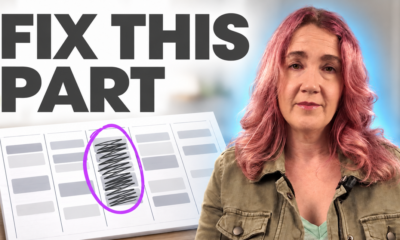
One more thing worth understanding: a lot of what makes these “bad anxiety days” so hard isn’t laziness, it’s bandwidth. If you’ve ever stared at a clear calendar and still couldn’t start anything, I broke down why that happens, and what to do about it, in this video.
So tell me, which pick are you most curious to try, or which one did you already realize you’ve been doing some version of? Drop it in the comments. I read every single one.
If you found this helpful, sign up for our newsletter here to get more content like this delivered straight to your inbox.
Sources
- Stothart, C., Mitchum, A., & Yehnert, C. (2015). The attentional cost of receiving a cell phone notification. Journal of Experimental Psychology: Human Perception and Performance, 41(4), 893–897. https://doi.org/10.1037/xhp0000100
- Gardner, B., Lally, P., & Wardle, J. (2012). Making health habitual: the psychology of “habit-formation” and general practice. British Journal of General Practice, 62(605), 664–666. https://doi.org/10.3399/bjgp12X659466
- Jahncke, H., Hygge, S., Halin, N., Green, A. M., & Dimberg, K. (2011). Open-plan office noise: Cognitive performance and restoration. Journal of Environmental Psychology, 31(4), 373–382. https://doi.org/10.1016/j.jenvp.2011.07.002
A note on the research: The habit-formation finding is one of the most replicated in behavior change research, with additional support from Lally & Gardner (2013), Health Psychology Review, and Orbell & Verplanken (2010), Health Psychology. On the noise side, a follow-up by Jahncke and colleagues (2020) found roughly a 16.9% performance increase when people worked in quiet zones. On the watch: the comment that Garmin underperforms Oura refers to validation studies of optical wrist sensors versus the Oura ring’s measures; both are consumer devices, not medical instruments, so treat any single night’s numbers as a rough signal rather than a diagnosis.